Bulk product listing software: how CSV/XLSX uploads work on Amazon, eBay, Etsy, Shopify and Trendyol (2026)
How to bulk upload products: each platform's template, required fields and image URL rules for Amazon, eBay, Etsy, Shopify and Trendyol, plus a checklist.
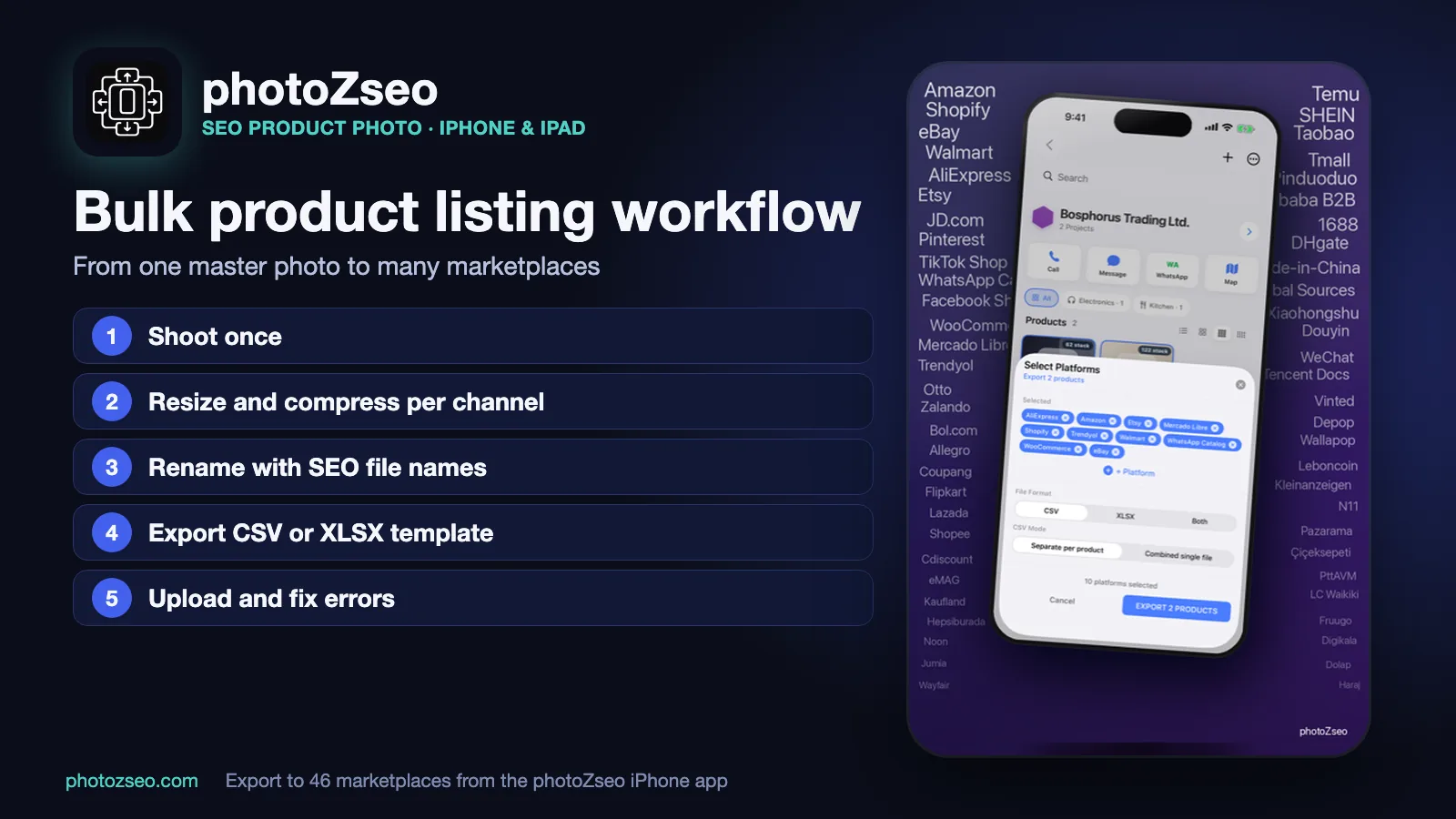
Bulk product upload means preparing a spreadsheet (CSV or XLSX) with one row per product and uploading it once instead of creating each listing by hand. eBay, Shopify, Amazon and Trendyol support this; Etsy does not allow bulk creation of new listings. The two rules that cause most failures are the same everywhere: keep the template’s headers exactly as given, and give every image as a public, direct URL.
Last verified: November 2026. Sources checked: Shopify Help Center, “Using CSV files to import and export products”; eBay Seller Hub help, “Create listings in bulk” (Seller Hub Reports > Upload); Etsy Help Center, “Can I create or edit multiple listings at once?”; Amazon Seller Central help, “Inventory file templates” and “Image issues” (read via search excerpts, see note below); Trendyol Akademi Satıcı Bilgi Merkezi, “Excel Ürün Girişi” and “Ürün Görseli Seçimi ve Yükleme” (read via search excerpts).
How does each platform handle bulk upload?
| Platform | Bulk create? | Where | File type | Image rule |
|---|---|---|---|---|
| Shopify | Yes | Products > Import | CSV, UTF-8, comma-separated | Public https:// URLs |
| eBay | Yes | Seller Hub > Reports > Upload > Get template | CSV or XLSX | https:// URLs, up to 12 per listing, separated by | |
| Amazon | Yes | Add Products via Upload (Seller Central) | Category-specific inventory file template | Direct URL; redirects and pop-ups are rejected |
| Trendyol | Yes | Product > Bulk Product Operations > Excel product entry | Excel, one template per category | Link in the Image Link column |
| Etsy | No (edit only) | Shop Manager > Listings | Not applicable | Not applicable |
How do you bulk upload products to Shopify?
Shopify’s help center sets the format: the first line must be column headers, columns are comma-separated, and the file should be UTF-8 with LF line endings. For new products only Title is required; if you use variants, URL handle is required too. Variant columns such as SKU also need Option1 name and Option1 value, otherwise Shopify creates a default variant and deletes existing ones when updating.
Images must be publicly reachable https:// URLs without password protection. Shopify downloads them during import, so you can remove them afterward. Image file names cannot be edited after upload and cannot include _thumb, _small or _medium suffixes. Videos and 3D models are not supported in CSV.
| Limit | Value (Shopify Help Center) |
|---|---|
| Options per product | 3 |
| Images per product | 250 |
| Tags per product | 250 |
| Alt text | 512 characters max, 125 or fewer recommended |
| SEO title | 70 characters |
| SEO description | 320 characters |
Known failure causes from the same page: a file with both Barcode and Barcodes columns fails; a partial set of packed-dimension columns fails; with overwrite on, blank cells erase existing values. For a deeper comparison with the API route, see Shopify CSV vs API.
How do you bulk upload listings to eBay?
eBay’s current tool is Seller Hub Reports. Go to Upload, click Get template, choose the Listings source and a file type. XLSX is the default and CSV is recommended for advanced sellers; an XLSX download can include up to 10 categories, each on its own sheet. Upload the completed file and eBay lists the items as specified.
Required fields for adding a listing include Action, Category ID, Title (80 characters max), Format, Duration, Start price, Quantity, Condition ID, Description and Item photo URL. The US site also requires a UPC (or equivalent) in the matching item-specific column, and book categories need an ISBN.
Picture URLs must begin with https://, end in a file extension such as .jpg or .png, stay under 2048 characters, and replace spaces with %20. You can list up to 12 images per listing, separated by the pipe (|) character. Images can be self-hosted or on eBay Picture Services. For variations, the parent row leaves quantity and price empty and each child row has its own.
How do you bulk upload products to Amazon?
Amazon uses category-specific inventory file templates, generated from the Add Products via Upload page in Seller Central. For items not yet in the catalog, you use the product template, which marks attributes as required, conditionally required or recommended. For items already in the catalog, you can search by product ID and use a pre-filled file. After uploading, select the matching file type and review the processing report for each SKU.
For images, Amazon’s “Image issues” help page says a pop-up or redirecting URL will not be accepted and the upload will not process, so the URL must point directly to the image file. Menu paths and accepted file types vary by marketplace region, so follow the instructions on the template you download. For image dimensions, see Amazon product photo specs.
Can you bulk upload to Etsy?
Not for new listings. Etsy’s help center states that you cannot bulk upload new listings, and suggests creating one listing and copying it. You can bulk edit existing listings from Shop Manager, including titles, tags, descriptions, prices, custom options, processing profile and delivery profiles. Tools that claim to bulk-create Etsy listings are third-party products and not an Etsy feature, so verify their terms and API access yourself.
How do you bulk upload products to Trendyol?
In the seller panel, open Product, then Bulk Product Operations, and use the Excel product entry option. Trendyol’s Seller Information Center describes one template per category, identified by a category code, and the upload type “Yeni Ürün Ekle” (add new product). Images are given in the Image Link (Görsel Linki) column. Trendyol also documents a gallery method: upload images to the Image Gallery first, with file names equal to the product barcode (for several images, barcode_1, barcode_2), then copy those names into the column. Do not change the template’s format before upload.
Panel wording can change, so confirm the steps against the template inside your own seller account. For image rules on Trendyol and Hepsiburada, see Trendyol and Hepsiburada product photos.
What are the most common bulk upload errors?
- Edited or renamed headers. Templates are matched by header text. Do not translate or reorder them.
- Wrong category template. Amazon, eBay and Trendyol templates differ per category.
- Image URLs that are not direct. A link to a web page, a redirect, or a login-protected folder fails.
- Spaces and special characters in URLs. Encode spaces (eBay asks for
%20). - Wrong encoding or delimiter. Excel can export semicolons or non-UTF-8 text.
- Duplicate or missing identifiers (SKU, barcode, URL handle).
- Overwrite surprises. On Shopify, blank cells can erase existing data.
Pre-upload checklist
- Download a fresh template for each category and platform.
- Test with 5 rows before the full catalog.
- Open every image URL in a private browser window; it should show the image itself.
- Check title, description and tag limits against the platform’s current guidelines.
- Keep a backup of the source file and the platform’s error report.
Where photoZseo fits
Bulk upload files only work as well as the images and text inside them. photoZseo prepares product photos for 46 marketplaces (resizing, compression, SEO file names, on-device background removal) and exports CSV, XLSX or JSON from the iPhone and iPad app. It does not host images or upload to marketplaces for you, apart from sending products to Shopify. Get the app on the download page. The Chrome extension does the same for product pages you browse on a computer.
photoZseo is not affiliated with or endorsed by any marketplace. Marketplace names are used only to describe compatibility.
Note: Amazon Seller Central and Trendyol Akademi pages could not be opened in full during verification, so details for those two platforms come from search excerpts of the official pages. Always check the template instructions inside your own account.
Frequently asked questions
How do I bulk upload products to eBay?
In Seller Hub go to Reports, then Upload, and choose Get template with the Listings source. Fill in the file and upload it; eBay lists the items as specified. Use CSV or XLSX.
Can I bulk upload new listings to Etsy with a CSV?
Etsy's help center says you cannot bulk upload new listings, though you can copy listings and bulk edit existing ones. Third-party tools exist, but they are not an Etsy feature.
Does Shopify need image URLs in the CSV?
Yes. Image URLs in the CSV must be publicly accessible, use https:// and have no password protection. Shopify downloads the images during import.
What file encoding should a Shopify product CSV use?
Shopify's help center asks for UTF-8 with LF-style line endings, comma-separated, with the headers on the first line. Check your spreadsheet app's export settings.
Where do I upload an Excel product file on Trendyol?
In the seller panel under Product, then Bulk Product Operations, using the Excel product entry option and the New Product upload type. Each category has its own template.
Why was my bulk upload rejected?
The usual causes are edited column headers, missing required fields, private or redirecting image URLs, and a template from the wrong category. Fix the file and re-upload.