Product photos, marketplace-ready in your browser.
photoZseo for Chrome reads the product page you are viewing, collects its photos, name, brand, category and price, then resizes, renames and exports everything for the marketplaces you sell on. Nothing leaves your computer.
photoZseo is a Chrome extension for e-commerce sellers. It collects product photos and details from product pages, resizes and compresses them to marketplace image requirements (82 size profiles across 10 regions), gives them SEO-friendly file names and exports a ZIP, CSV or Excel file (50 platform formats). Data stays on your device. The free plan lets you try it with 5 products and 10 new images per day; Pro starts at $4.92/month billed yearly.
What it is
Chrome side-panel extension for product photo preparation
Who it is for
Marketplace sellers, dropshippers, Shopify store owners, agencies
Browser
Google Chrome 116 or later on desktop
Image sizes
82 profiles in 10 regions (Amazon, Etsy, Shopify, Trendyol, Instagram…)
Exports
Folder-organized ZIP, CSV and Excel in 50 platform formats
Where data is stored
Only in your browser (IndexedDB); no photoZseo server
Price
Free plan · Pro $7.99/month or $59/year · Team $129/year
Languages
15, including English, Turkish, German, Spanish, Arabic and Japanese
Last updated: · v2.1.1
How it works
Three clicks from product page to upload file.
1
Open a product page
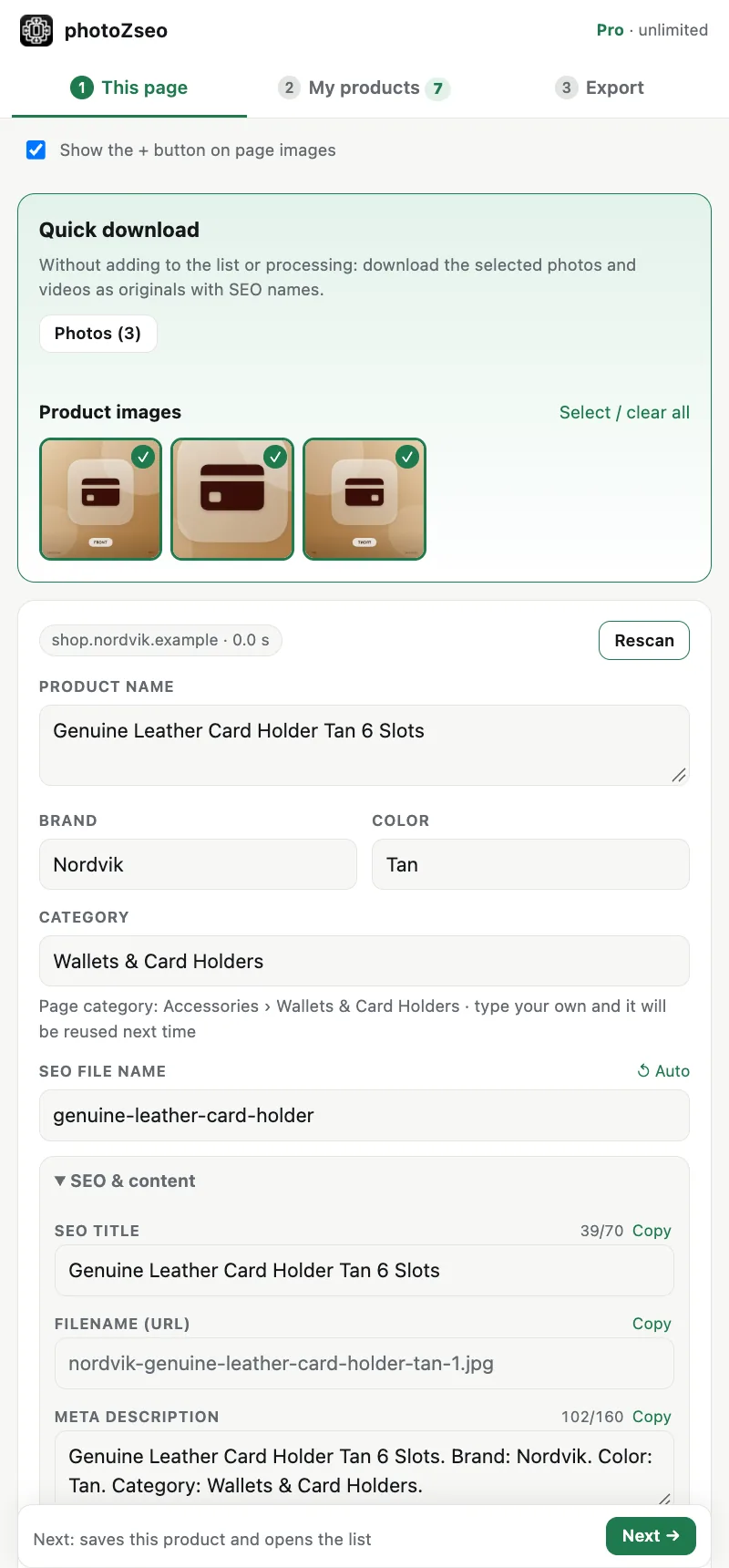
Click the photoZseo icon. The side panel reads the product name, brand, category, price, color variants and every product image on the page.
2
Pick photos and sizes
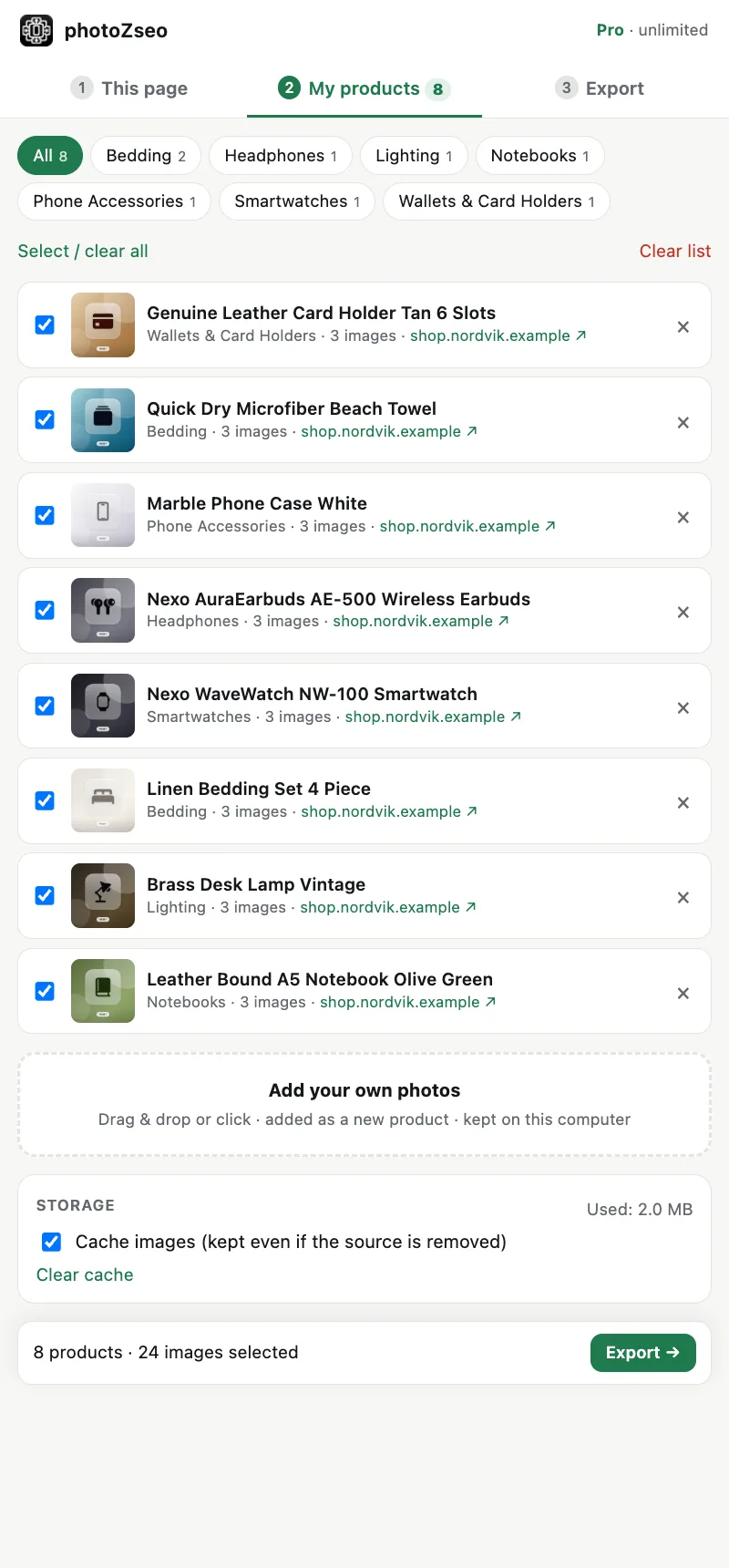
Choose the photos you need and the marketplaces you sell on. Right-click any image or use the optional "+" button to add more from other pages.
3
Export
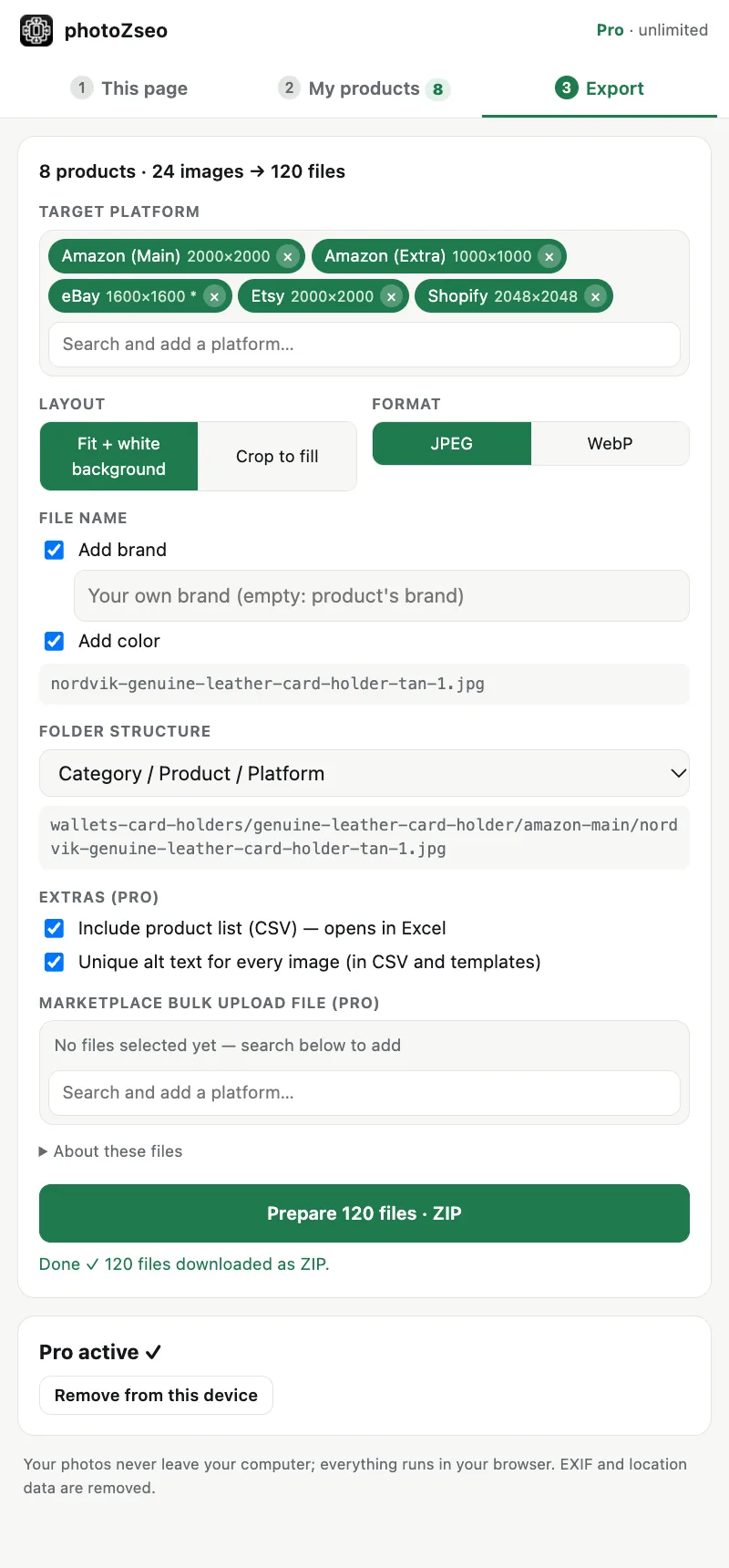
Download a ZIP with one folder per category, resized and SEO-renamed photos, plus a CSV or Excel file ready for bulk upload.
Speed
120 files of photo prep, done in 5 seconds.
Measured with the extension itself: 8 products with 3 photos each, exported to 5 image profiles for Amazon, eBay, Etsy and Shopify.
120
files created
5 s
to build the ZIP
1
click to export
By hand
Save 24 photos one by one
Resize every photo for every marketplace: 120 edits
Rename 120 files for SEO
Sort them into folders
Type names, prices and categories into a spreadsheet
→
With photoZseo
Open each product page and press Add: 8 clicks
Choose your marketplaces once
Press Export: 120 resized, renamed and sorted files plus a CSV
Timed in Chrome on a laptop. Speed depends on photo size and your computer. Product photos: photoZseo demo images.
Features
Everything between "I found the product" and "it is listed".
Marketplace image sizes
82 resize and compression profiles with the right pixel size, ratio and file-size limit for each platform and region.
SEO file names and alt text
Short, keyword-first file names built from product name, brand, color and category, plus alt text in your language.
Bulk export to CSV and Excel
50 platform CSV formats and Shopify, Trendyol and Hepsiburada spreadsheets. You can also fill in the template file you download from your own seller panel.
Color variants grouped
Variants of the same product are detected and grouped, so Shopify options and marketplace variant group codes are filled for you.
Prices, profit and margin
Enter cost and sale price, apply a bulk markup with .90 or .99 rounding, convert currency and see profit and margin per product.
Your own photos too
Drop in photos from your computer. They are kept in your local library next to the products you collected.
Ready-made image sizes for 60+ marketplaces and channels, including
Product pages are read on most online stores that publish structured product data, such as Trendyol, Hepsiburada, Etsy, AliExpress and Shopify stores. Marketplace names describe compatibility only; photoZseo is not affiliated with them.
Privacy
Your product library never leaves your computer.
No server, no account
There is no photoZseo backend. Products, prices and photos live in your browser storage.
Reads a page only when you ask
The extension reads the current tab when you open the panel or press scan. Access to all sites is optional.
No tracking
No analytics, no ads, no data sales. The only network call besides images is the Pro license check.
It collects product photos and product details (name, brand, category, price, color variants) from the product page you are viewing, resizes and compresses the photos to marketplace requirements, gives them SEO-friendly file names and exports them as a ZIP plus a CSV or Excel file for bulk upload.
Is the photoZseo extension free?
Yes, there is a free plan to try it, with up to 5 products, 10 new images per day and 4 image sizes. Pro costs $7.99 per month or $59 per year and removes all limits. A Team license costs $129 per year for 10 browsers.
Which marketplaces are supported?
There are 82 image size profiles in 10 regions, including Amazon, eBay, Etsy, Shopify, Walmart, Trendyol, Hepsiburada, AliExpress, Instagram and Pinterest, and 50 CSV formats. You can also fill in an Excel template downloaded from your own marketplace seller panel.
Does it upload my photos or product data anywhere?
No. photoZseo has no server. Your product library and photos are stored only in your browser. The only data sent outside is your license key, to Dodo Payments, when you activate Pro.
Why does it ask for access to all websites?
It does not by default. That permission is optional and is requested only if you turn on the "+" button that appears on product images. Without it, the extension reads only the tab you choose to scan.
Can I download all images from an Amazon, Etsy or Trendyol product page?
Yes. Open the product page and the side panel lists every product image and video it finds. Select them and download them in one ZIP, resized for the marketplace you choose. Please only use images you have the right to use.
Does it remove image backgrounds?
No. The Chrome extension focuses on collecting, resizing, renaming and exporting. Background removal is available in the photoZseo iPhone and iPad app.
Which browsers does it work in?
Google Chrome 116 or later on Windows, macOS, Linux and ChromeOS. It uses the Chrome side panel, so it is not available on mobile browsers.
How do I cancel Pro?
Use the link in your Dodo Payments receipt email to manage or cancel your subscription. Pro stays active until the end of the period you paid for.
List faster this week.
Install photoZseo for Chrome, open a product page and export your first marketplace-ready ZIP in under a minute.