Product listing optimization checklist for 2026: titles, images, attributes and descriptions
How to optimize product listings in 2026: a practical checklist for titles, images, attributes, descriptions, alt text and file names, with verified platform limits.
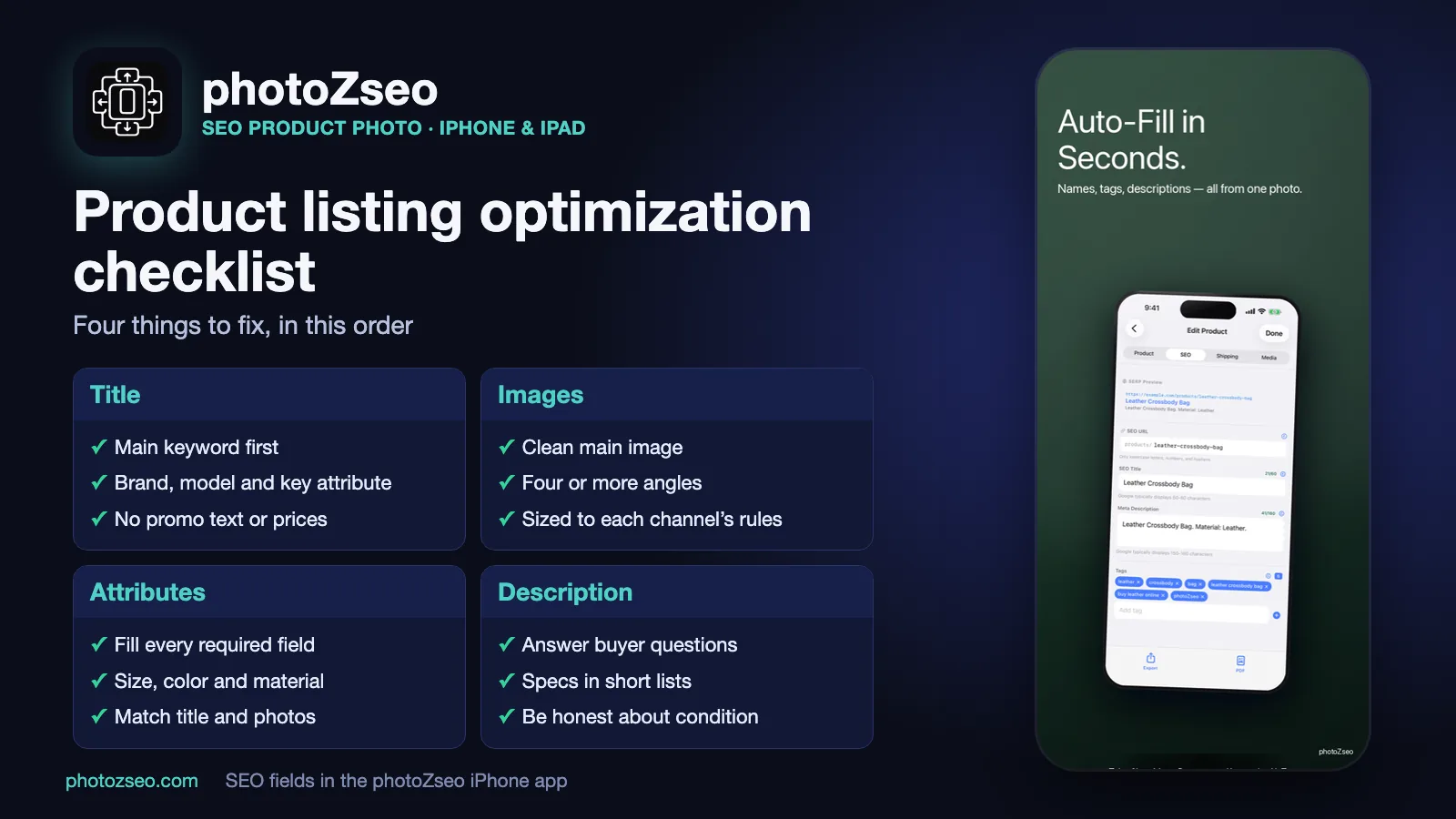
To optimize a product listing, fix the title first, then the images, then the attributes, and write the description last. The title and main image decide whether a buyer clicks; the attributes decide whether the platform can match you to a search or filter. This checklist covers each part in the order you should work, with the platform limits I could verify from official sources.
Last verified: November 2026. Sources: Google Merchant Center Help (“Title [title]” and “Image [image_link]”), eBay Developers Program (Trading API user guide, “Listing title”), Shopify Help Center (“Product media types”), U.S. Copyright Office FAQ. Platform rules change; check your channel’s current guidelines before bulk uploading.
What goes in a product title?
Use a repeatable formula so every listing in the catalogue is consistent:
Brand + product type + key attribute (model, material, size) + colour or variant
Example: Nordhaus Walnut Cutting Board, Large 18 in, Juice Groove.
Rules that hold on almost every channel:
- Put the most important words at the start. Google notes that users usually see only the first 70 or so characters, depending on screen size.
- Leave out price, sale dates, shipping details and your store name. Google’s Merchant Center guidance says to submit those through their own attributes.
- Avoid all caps, symbols and promotional wording.
- Match what is actually in the box. Variants (colour, size, pack count) belong in the title only when they differentiate the item.
What do the images need?
- A clean main image of the product itself, not a logo or placeholder.
- Extra angles: front, back, side, detail, scale, and a packaging or in-use shot where the platform allows it.
- No watermarks, promotional overlays, barcodes, QR codes or added store logos. Google’s image guidance lists these as prohibited for Merchant Center.
- Consistent background, crop and lighting across the catalogue.
- A file type that your platform accepts, with the extension matching the real format.
Resize for each channel rather than uploading originals. See marketplace image sizes, and for format choices read WebP vs JPEG vs PNG for product photos.
What are the platform differences?
| Platform | Item | Verified value | Source |
|---|---|---|---|
| Google Merchant Center | Title length | 1 to 150 characters | Merchant Center Help, Title [title] |
| Google Merchant Center | Minimum image size | 500 x 500 px (Google recommends about 1500 x 1500 or larger) | Merchant Center Help, Image [image_link] |
| Google Merchant Center | Max image file | 16 MB, 64 megapixels | Merchant Center Help, Image [image_link] |
| eBay | Title length | 80 characters (subtitle: 55, paid) | eBay Developers Program, Listing title |
| Shopify | Max image size | 5000 x 5000 px, under 20 MB | Shopify Help Center, Product media types |
| Shopify | Recommended image size | 2048 x 2048 px square | Shopify Help Center, Product media types |
Amazon, Etsy and many other marketplaces set title limits per category or change them over time. we could not confirm a single current official figure for those, so check Seller Central or the seller handbook of your category rather than relying on a number from a blog. Note also that Google’s page announces a 500 x 500 minimum for all products starting January 31, 2027; see our Merchant Center article.
How do I fill in attributes?
Attributes are the structured fields: brand, category, material, colour, size, GTIN or model number, condition. They power filters and matching, and incomplete ones are a common reason a listing is suppressed or ranks poorly.
- Use the platform’s own category and taxonomy, not a custom label.
- Fill every field you can answer truthfully, including optional ones.
- Use consistent values (one spelling of a colour, one unit system).
- Keep identifiers (GTIN, SKU, model number) accurate.
How should I write the description?
Lead with what the product is and who it is for in the first two sentences. Then list specifications in a short bullet list or table, then care, compatibility and what is included. Use plain language, write original copy rather than pasting manufacturer or supplier text, and avoid claims you cannot support.
What about alt text and file names?
- Alt text: one sentence describing what is visible, specific to that image. “Walnut cutting board, top view, juice groove along the edge” is better than “cutting board”. Do not repeat the same phrase across all photos. More examples are in product image alt text examples.
- File names: lowercase, hyphens between words, brand or product first, then the view or variant. See how to name product photos for SEO.
The one-page listing checklist
- Title follows the formula, important words first, no promo text
- Main image is the product alone, compliant, correct size
- 4 or more additional images where allowed (angles, detail, scale)
- No watermarks, logos or overlays that the channel forbids
- Every attribute filled with consistent values
- Identifiers (GTIN, SKU, model) verified
- Description is original, specific and scannable
- Unique alt text per image
- Descriptive file names
- You have the right to use every image
Where photoZseo fits
If you manage photos for many listings, photoZseo can do the repetitive part: the iPhone and iPad app (iOS and iPadOS 17+) resizes, compresses and renames photos for 46 marketplaces, removes backgrounds on the device, and generates 13 SEO fields in 15 languages, with CSV, XLSX and JSON export. The Chrome extension collects photos and details from a product page and exports ZIP, CSV or Excel. See pricing. Please process only images you have the right to use.
Marketplace names describe compatibility only. photoZseo is not affiliated with or endorsed by any marketplace.
Frequently asked questions
How do I optimize a product listing?
Work in this order: write a clear title with the product's main identifiers first, add compliant images, fill every attribute and category field, then write a plain-language description. Finish with alt text and file names.
What is a good product title formula?
Brand, product type, key attribute (material, model or size), then colour or variant. Put the words a buyer would search for first, and leave out price, shipping and promotional text.
How long should a product title be?
It depends on the platform. Google Merchant Center allows up to 150 characters, and eBay allows up to 80. Because users often see only the first part of a title, front-load the important words.
Does alt text help product listings?
Alt text describes the image for screen readers and for search engines that cannot see it. Write it specifically for each image, in plain language, without keyword stuffing.
Do image file names matter for SEO?
They are a small but free signal. A descriptive name such as walnut-cutting-board-front.jpg is clearer than IMG_0421.jpg, and it keeps your files organised.