Best product listing tools for online sellers in 2026 (and how to choose)
Four kinds of product listing tools exist: multichannel managers, feed tools, photo prep tools and marketplace templates. Here is how to pick the right one.
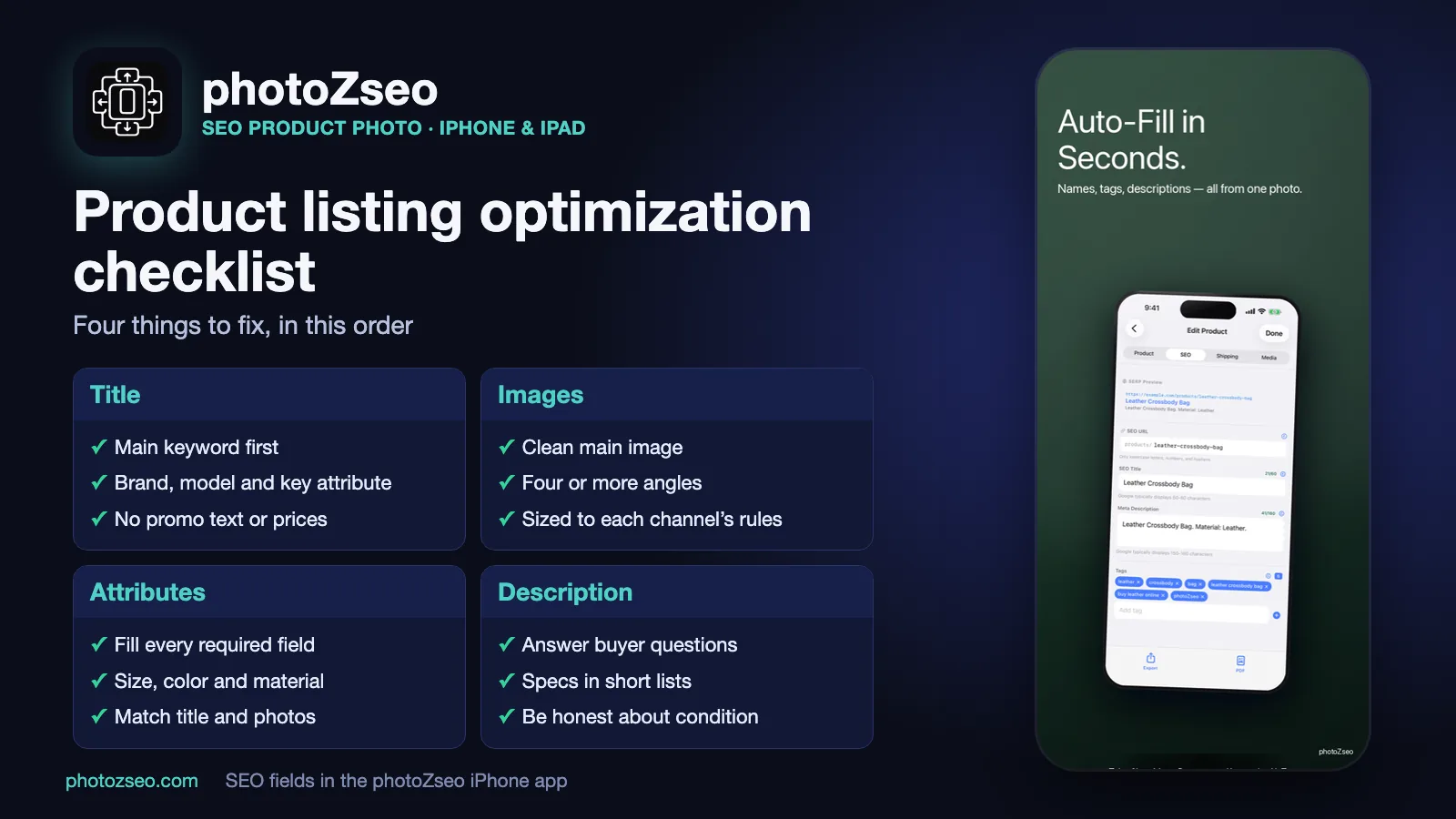
There is no single best product listing tool, because “listing tool” covers four different jobs: multichannel listing managers (publish and sync across channels), feed and product-data tools (clean and map catalog data), photo preparation tools (resize, rename and add SEO text), and the marketplaces’ own bulk upload templates. The right choice depends on which job is slowing you down today.
This guide defines each category, gives you a criteria table, and matches each category to a seller type. It names no vendors on purpose. Tool features and prices change quickly, so you should confirm any claim on the vendor’s own site.
Last verified: November 2026. Official sources checked: eBay Seller Hub help (Create listings in bulk), Shopify Help Center (Using CSV files to import and export products), Etsy Help Center (Can I create or edit multiple listings at once?).
What are the four types of product listing tools?
1. Multichannel listing managers. These connect to several marketplaces and your own store through their APIs. Typical jobs: publish one product to many channels, sync stock levels, pull orders into one place. They are the heaviest category and the one most likely to carry a monthly subscription tied to order volume or channel count.
2. Feed and product-data tools. These sit between your source data (a spreadsheet, ERP or supplier file) and the destination. They map columns, apply rules (for example, add a brand prefix to every title) and output a feed in each channel’s format. They matter most for catalogs of hundreds or thousands of SKUs.
3. Photo preparation tools. These handle the images and the text that travels with them: resizing to each platform’s size rules, compression, SEO file names, alt text and background cleanup. They fix the most common reason for rejected or low-ranking listings, which is the image, rather than the stock logic.
4. Marketplace-native templates and editors. Most marketplaces provide their own way to upload in bulk or edit in bulk. eBay offers a downloadable template in Seller Hub Reports; Shopify imports a CSV file; Amazon provides category-specific inventory file templates; Trendyol provides an Excel template per category. They cost nothing extra, but they cover one marketplace at a time. Etsy is a notable exception: its help center states that you cannot bulk upload new listings, though you can bulk edit existing ones.
How do you choose? A criteria table
| Criterion | Multichannel manager | Feed / data tool | Photo prep tool | Native template |
|---|---|---|---|---|
| Publishes to several channels | Yes | Usually outputs files per channel | Exports files per channel | One channel only |
| Syncs stock and orders | Usually yes | Usually no | No | No |
| Cleans and maps catalog data | Partly | Yes, core job | Limited | No |
| Prepares images to platform rules | Varies | Varies | Yes, core job | You do it yourself |
| Setup effort | High | Medium | Low | Low |
| Typical cost model | Recurring subscription | Recurring subscription | Free to subscription | Included with your seller account |
| Best signal you need it | Overselling across channels | Catalog over a few hundred SKUs | Listings rejected or photos inconsistent | Selling on one marketplace |
Use this as a checklist when you evaluate any vendor. Ask: which exact channels, which fields are mapped, what happens to images, and what does it cost at your volume?
Which tool category fits which seller?
| Seller type | Start with | Add later if needed |
|---|---|---|
| Solo seller on one marketplace | Native template or editor | Photo prep tool |
| Handmade or small-batch seller (a few dozen to a few hundred items) | Native editor plus photo prep tool | Multichannel manager |
| Reseller with one-off items and phone photos | Photo prep tool | Native bulk template |
| Brand selling on 3+ marketplaces with shared stock | Multichannel manager | Feed tool for data cleanup |
| Catalog of thousands of SKUs from suppliers | Feed / data tool | Multichannel manager |
| Agency or team preparing listings for clients | Photo prep tool and feed tool | Multichannel manager |
A common mistake is buying a multichannel manager to solve a photo problem. If your listings are rejected because of image size or naming, a sync engine will not help; it will just push the same bad images to more places.
What should you check before paying for any listing tool?
- Channel coverage: the marketplaces you sell on today and plan to add in the next year, including regional ones.
- Image handling: does it resize and compress to each platform’s rules, or does it pass your files through untouched?
- Field coverage: titles, descriptions, tags, alt text, barcodes, category IDs. Missing fields mean manual work.
- Data ownership: can you export everything as CSV or XLSX if you leave?
- Where your data lives: cloud account, or on your device?
- Pricing at your volume: per channel, per order or per listing.
- Support for your language and region.
For the file-format side of bulk uploads, see our companion guide on how CSV and XLSX uploads work on Amazon, eBay, Etsy, Shopify and Trendyol. For image rules, the marketplace image sizes reference lists dimensions per platform.
Where photoZseo fits
photoZseo sits in category three, photo preparation, with SEO fields and file export. It is an iOS and iPadOS 17+ app with a seven-angle template camera, resizing, compression and renaming for 46 marketplaces, on-device background removal, 13 SEO fields in 15 languages, and CSV, XLSX or JSON export. It can also send products to Shopify and create a B2B PDF quote. There is a separate Chrome extension that collects photos and details from a product page and exports a ZIP, CSV or Excel file.
What it is not: an inventory, price or order synchronization system. It will not keep stock aligned between channels. Many sellers pair a photo and SEO tool like this with a native template or a multichannel manager. See plans and pricing for the current tiers.
photoZseo is not affiliated with or endorsed by any marketplace. Marketplace names are used only to describe compatibility.
Frequently asked questions
What is the best product listing tool for a small seller?
Start with the marketplace's own template or editor, then add a dedicated tool only for the step that costs you the most time. For many small sellers that step is photo preparation and writing titles, not inventory sync.
What is product listing software for ecommerce?
It is software that helps you create, edit and publish product listings, sometimes across several marketplaces at once. Some tools also sync stock and orders; others only prepare data or images for upload.
Do I need a listing tool to sell on multiple marketplaces?
Not at the start. You can list on each marketplace with its own upload template. A multichannel manager becomes worthwhile when the same stock is sold in several places and overselling becomes a real risk.
Can a photo tool replace a multichannel listing manager?
No. A photo tool prepares images and text fields to meet each marketplace's rules. It does not keep inventory, prices and orders in sync between channels.
How do I compare listing tools fairly?
Compare them on the same criteria: which channels they connect to, whether they sync stock and orders, how they handle images, how many fields they map, and what the pricing is. Check each vendor's current documentation, because features change often.